


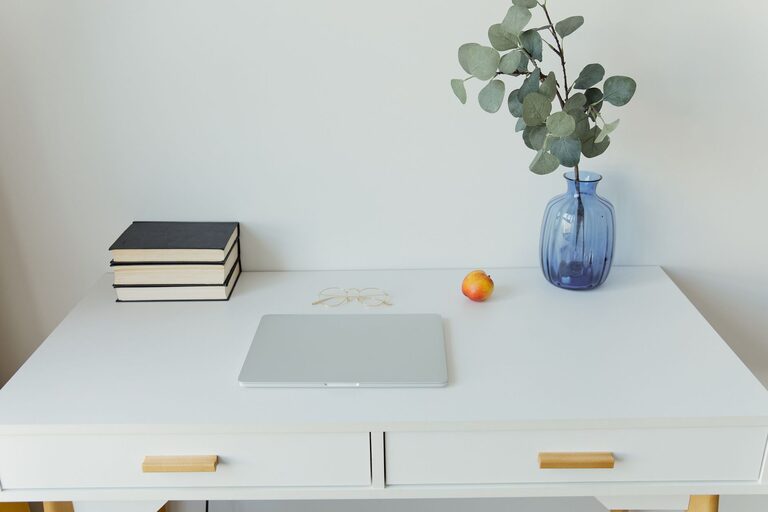
Creating an organized and productive workspace at home can make a big difference in how you work and feel throughout your day. A clutter-free, well-arranged area helps reduce distractions, improve focus, and boost overall efficiency. Whether you have a dedicated room or just a corner of your living space, these simple tips will help you design a workspace that works for you.
Why an Organized Workspace Matters
Before diving into how to set up your space, it’s important to understand why it matters. An organized workspace:
– Reduces stress by eliminating clutter and chaos
– Saves time by making it easier to find what you need
– Improves concentration and creativity
– Encourages good work habits and motivation
With these benefits in mind, let’s explore practical, clutter-free solutions.
Choose the Right Location and Setup
Pick a Dedicated Spot
Find a quiet area in your home with minimal distractions. Ideally, select a space with natural light, which helps improve mood and energy. If a separate room isn’t an option, isolate a corner or nook in your living area and designate it solely for work.
Invest in Ergonomic Furniture
Comfort supports productivity. Use a desk that fits your space and a chair that offers proper back support. If possible, consider adjustable furniture to help maintain good posture and reduce fatigue.
Declutter and Simplify Your Desk
Clear the Surface
Keep only essential items on your desk: computer, notebook, pen, and any tools you regularly use. Store less frequently used items out of sight to maintain a neat appearance.
Use Organizers and Storage
Desk organizers, trays, and bins help keep small items like paper clips, sticky notes, and chargers tidy. Drawer dividers can also help separate and categorize your supplies.
Manage Your Cables
Cables can quickly become messy and distracting. Use cable clips, ties, or sleeves to bundle and organize cords. Label cables if you have several devices to avoid confusion.
Optimize Lighting
Good lighting is essential for reducing eye strain and maintaining focus.
– Position your desk near a window when possible
– Use a desk lamp with adjustable brightness for late work sessions
– Avoid harsh overhead lighting; instead, opt for soft, diffused light
Create a Filing System
Whether you work with physical papers or digital files, an organized filing system can save time.
Physical Paperwork
Use labeled folders, binders, or filing cabinets to categorize important documents. Regularly purge items you no longer need to avoid buildup.
Digital Organization
Create a clear folder structure on your computer and cloud storage. Name files consistently and back them up regularly.
Personalize Without Overdoing It
Adding personal touches like plants, photos, or artwork can make your workspace inviting. However, avoid overloading your area with decorations that may cause distractions.
Set Up a Routine and Boundaries
A productive workspace also depends on good habits.
– Define specific work hours to separate personal and professional time
– Take regular breaks to recharge and prevent burnout
– Keep your workspace clean at the end of the day
Use Tools to Boost Productivity
Consider using tools and apps that help with time management and task organization, such as:
– To-do list apps (e.g., Todoist, Microsoft To Do)
– Focus timers (e.g., Pomodoro technique apps)
– Note-taking apps (e.g., Evernote, OneNote)
Regularly Reassess and Adjust Your Space
Your needs may change over time. Periodically review your setup:
– Remove items you no longer use
– Update your systems if work habits evolve
– Rearrange furniture or lighting as needed to improve comfort
Summary
Creating a more organized and productive workspace at home doesn’t require a major overhaul. By choosing the right location, decluttering, managing cables, optimizing lighting, and establishing a routine, you can enhance your work experience. Simple steps like investing in ergonomic furniture and maintaining a filing system go a long way toward fostering focus and efficiency. Remember, the best workspace is one tailored to your needs and preferences, so feel free to experiment and adjust until it feels just right.


More Stories
Tips for Creating a Relaxing and Productive Home Office Environment
How to Create a Cozy and Inviting Reading Nook at Home
Tips for Creating a Productive Home Office Environment